Track your sleep over time
See how long you actually sleep, night after night, using the data your watch already collects, and keep it next to your heart rate, activity and lab values.
The demo needs no sign-up: a made-up patient's data. Your own account is free during the beta.
Why track your sleep?
Most people have a rough feeling for how they sleep, and that feeling is often off. A few short nights stick in memory, while a slow slide from seven and a half hours to six over a busy quarter can go unnoticed. Data collected automatically by a watch or phone gives a more honest picture.
Single nights vary a lot: a late dinner, a workout, travel, a child waking up. Weekly averages and longer trends are where the useful information is. Are you getting roughly the same amount of sleep on workdays and weekends? Did sleep change after a new job, a new baby or a new evening routine? Does a short week tend to come before a higher resting heart rate?
Sleep is also connected to many other measurements, from heart rate and blood pressure to appetite and weight. Seeing sleep in the same place as those values makes the relationships easier to notice. Consumer devices estimate sleep rather than measure it the way a sleep lab does, so treat the numbers as a guide, and talk to a doctor about persistent sleep problems.
This page is general information, not medical advice. If you have questions about your own results, talk to your doctor.
How Prognesa helps with your sleep
From your watch
Sleep comes in from Apple Health (iPhone, Apple Watch and apps that write to it) and from Withings watches after a one-time connection.
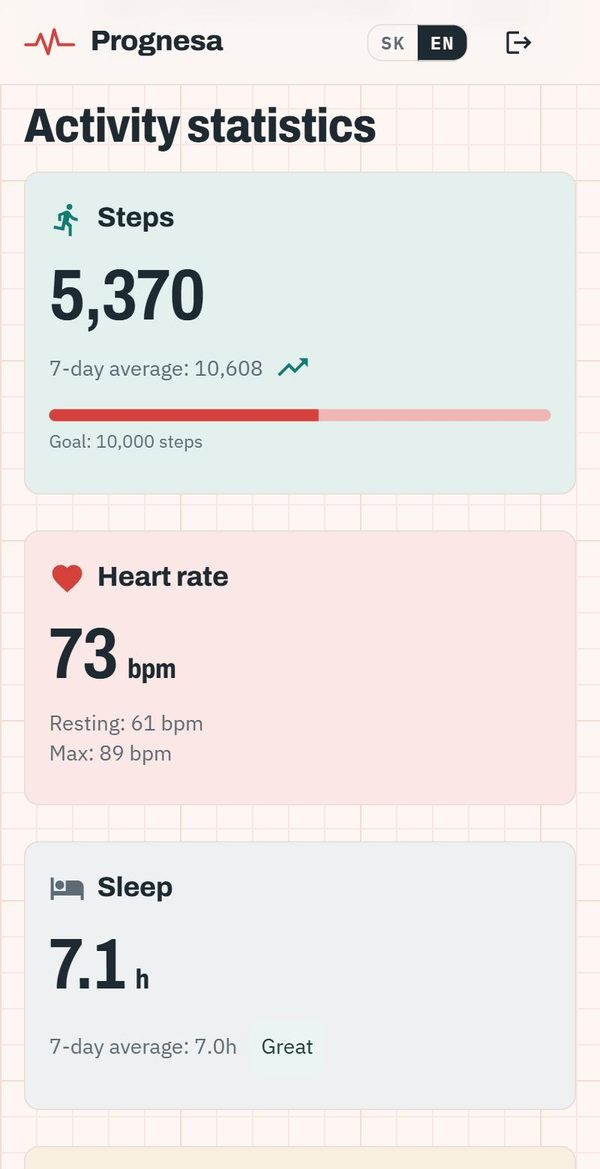
Nightly hours and 7-day average
The activity overview shows last night's sleep and your average over the past week.
Detailed view for Withings
With a Withings watch you also get a dedicated sleep view in the app.
Next to everything else
Sleep sits beside your steps, heart rate, meals and lab values in one record.
Ask about it
Ask the AI assistant about your own sleep data, for example how this month compares with the last.
Up and running in three steps
Create your free account
An email and a password. Nothing to install.
Bring in your sleep data
Import from Apple Health or connect a Withings watch.
See your nights add up
Check last night and your weekly average in the activity overview.
Sleep tracking: common questions
Which devices can I use for sleep tracking?
Apple Watch, iPhone and apps that write sleep to Apple Health, through an Apple Health import, and Withings watches through a direct connection. Android (Health Connect) is in development.
Can I enter sleep by hand?
Not yet; sleep currently comes from your devices. Your other measurements, such as weight or blood pressure, can be typed in.
How accurate is sleep data from a watch?
Watches estimate sleep from movement and heart rate. They are good at showing patterns and trends over time, but they are not as precise as a sleep study in a lab. Treat the numbers as a guide rather than an exact measurement.
Does Prognesa diagnose sleep disorders?
No. Prognesa shows your sleep data and how it changes. If you snore heavily, wake up gasping, feel very tired during the day or struggle with sleep for weeks, talk to your doctor.
Is Prognesa free to use?
Yes, during the beta. Your record, trends and overview have no limit. AI features have a free daily allowance per account: 50 questions to the assistant, 10 lab reports read by AI, 15 meal analyses and 5 in-depth AI analyses.
Supports your doctor visits, doesn't replace them
Prognesa helps you keep your measurements organised and see how they change. It is not a medical device: it does not diagnose, treat or prevent any disease, and AI answers can be wrong. Decisions about your health belong with your doctor. How we protect your data →
Understand your health trends over time.
Start tracking your sleep with Prognesa, next to the rest of your health data.